

NEW for 2026!
Hunter RAIN-CLIK rain sensor
$ 41.14
Most rain sensors must collect a certain amount of precipitation before a switch is activated, which stops the irrigation process on the controller and shuts down the system. Until this point, the system continues to use water unnecessarily. This is particularly problematic for environmentally conscious municipal, commercial and private users. The Hunter Rain-Clik and the Wireless Rain-Clik with integrated quick-response technology can trigger a switching process immediately after precipitation begins. The Rain-Clik can be attached to an eaves or any smooth vertical surface such as a wall or fence. Compatible with all OpenSprinkler products. Simply connect to Gnd and Sn1 or Sn2 on the OpenSprinkler 3.0 / 3.2. For OSPi to the Rain Sensor connection. Since this is an “opener” from an electrical point of view, not only “Rain Sensor” must be activated in the OpenSprinkler settings, but the “Normally Open” option must also be OFF. When using with the A2D: Connect the Rain-Clik to Sn1/Sn2 and VIN ( 5V) directly on the A2D output and set the pot to the middle position. If that doesn't work, then connect the Rain-Clik directly to the OpenSprinkler (together with the A2D) to GND SN1 (or SN2) and bridge the GND SN1 (or SN2) connections with a short cable on the A2D. NEVER CONNECT TO COM! There is 24VAC alternating voltage at the COM, which can destroy the signal input! To test on the OpenSprinkler there is the test button, press it for at least 30s as the display reacts slowly. To test on the measuring device: So dry = contact connected, approx. 0.01 Ohm; Wet=contact open, infinite ohms. Pressing the button opens the contact.
 OpenSprinkler Pi (OSPi) 2.0
 Power supply 24VAC 1.5A 36VA
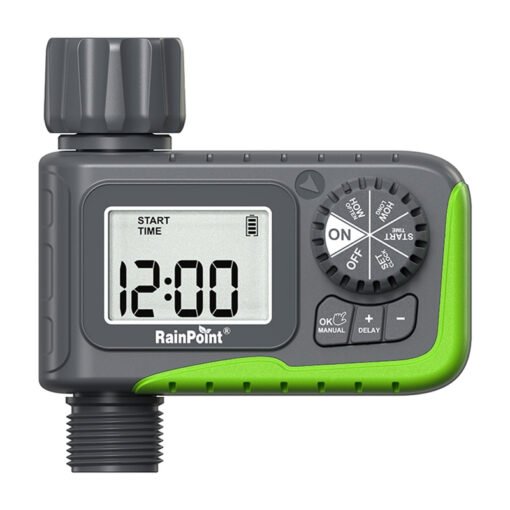 1-Zone Hose Timer Rainpoint ITV105